
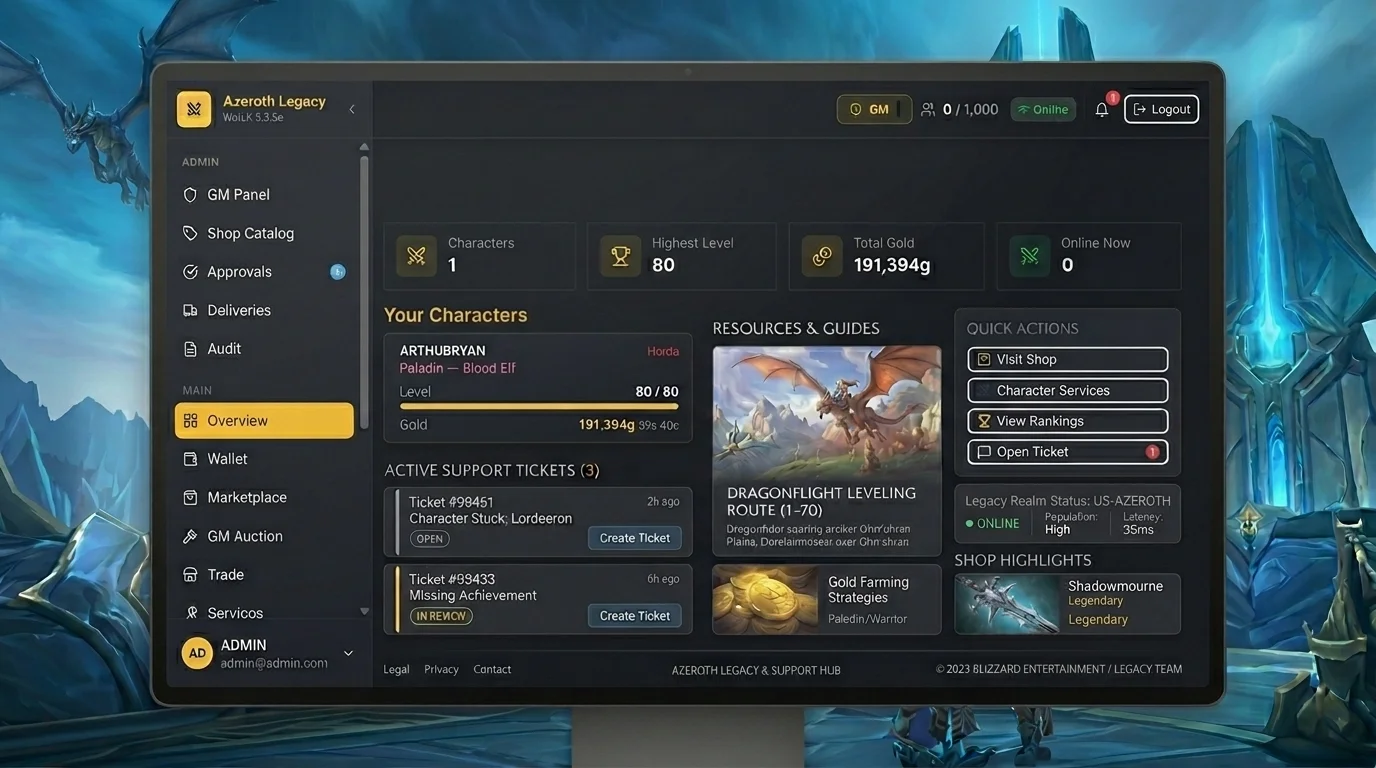
Modern Ticket Guide: Why on-site support is more efficient than in-game commands
Why support changed
For a long time, the standard for private server support was a chat command:/gm, /bug, or direct message an online GM. Simple, immediate — but limited. No screening, no history, no efficient screening.
Azeroth Legacy uses a website ticket system, which changes this flow in a practical way. The result is faster service, with fewer trips back and forth, and less chance of your case getting lost in the queue.
Beta: Ticket support available to all players. After launch, VIP players will have access to a priority channel with faster response.
What changes from in-game to the website
Persistence
In-game command depends on online and active GM. Tickets via the website enter the queue regardless of the time, are registered with a timestamp and can be retrieved by any member of the support team.
Context
In the game chat, you have a character limit and no option to attach a print, video or log. On the website, you can send everything in the same submission — character name, print of the error, step by step of the problem — without having to rewrite it later.
Traceability
Ticket through the website generates an ID. You know if it has been read, if it is under analysis or if it needs a supplement. With an in-game command, the response either comes immediately or you don't know what happened to the report.
Screening
Web system allows the team to classify the problem by category — account, bug, punishment, item — and direct it to whoever resolves it. In chat, everything falls into the same place without separation.
How to open a ticket completely
1. Access the website dashboard
Go to the Azeroth Legacy website, log in and go to the support or ticket opening area. The path is available in the main menu.
2. Choose the correct category
Each category goes to a different queue. Using the wrong category does not prevent service, but it delays it. The main categories tend to be:
- Account and access — problem logging in, password, launcher
- Gameplay bug or failure — quest, item, NPC, dungeon, BG
- Punishment and dispute — ban, mute, penalty
- Payment and VIP — billing, activation, benefit not applied
- Others — everything that does not fit above
3. Fill in required fields accurately
- Name of the affected character — not the nickname, the exact name of the character
- Approximate date and time — a 10 to 15 minute window helps
- Launcher version or system, if it is a technical problem
4. Describe the problem in logical order
Write in blocks, not in a running paragraph:
- What were you doing
- What should happen
- What actually happened
- Whether the issue is reproducible
5. Attach proofs in the first submission
- Print of the error or bug screen
- Short video (30 seconds solves most cases)
- Exact name of the item, quest or NPC involved
- Exact error message if any
Information that speeds up diagnosis
The support team analyzes the log before making any response. The information below allows you to locate the case without having to ask for a return:
| Information | Why it helps | |---|---| | Character's exact name | Locates the char in the database without ambiguity | | Time window | Allows searching the log by period | | Zone, dungeon or BG | Filter the log by instance | | Quest or item name | Identifies the object of the problem | | Expected behavior | Avoid confusing bugs with correct mechanics | | What has already been tested | Prevents support from asking for what you've already done |
Without this information, the first return will ask for exactly this information — which adds an entire cycle to the service.
Advantages of web flow over in-game command
Open 24 hours a day
Tickets opened at 3am enter the queue and are handled in the next support shift. In-game commands without an active GM aren't going anywhere.
Accessible history
You can go back to the ticket and view the message history. You don't need to re-explain everything from scratch in each contact.
No text limit
Describe the problem in as much detail as you need. In in-game chat, long text is cut off or unreadable.
Asynchronous support works better
You do not need to be online when the GM responds. The answer is recorded and you read it when you enter.
Possibility of climbing
If the issue is not resolved by the first responder, the ticket can be escalated to another team member with full history available. In chat, manual escalation is rare.
Opening errors that delay the response
1. Opening without proof hoping that support already knows the problem
No print or log, support needs to ask. This adds days to the service.
2. Wrong category
Bug ticket in the account queue goes to the wrong agent and needs to be forwarded.
3. Vague description
"It's bugged" is not a description. Support needs to know what, where, when and how.
4. Open duplicate ticket
One ticket per problem. Duplicates cause confusion and can close out the original.
5. Not reporting what has already been tested
If you've already relogged, abandoned the quest and come back, uninstalled the addon or cleared the cache, say so. Prevent the first response from asking for what you have already done.
6. Demand an immediate response on the same ticket
Adding “need urgent response” without providing context does not speed up triage. Full context speeds up. Urgency without information does not change the queue.
High-quality ticket checklist
Before submitting, please confirm:
- [ ] Correct category selected
- [ ] Exact character name filled in
- [ ] Approximate date and time included
- [ ] Mentioned zone, dungeon, quest or NPC
- [ ] Description in logical order (what I did → what happened → what I expected)
- [ ] Print or attached video
- [ ] What has already been tested is described
- [ ] No other tickets open for the same issue
With these points marked, your ticket is now in the fastest resolution percentile.
What is the real service flow
- Submission — you open with enough context
- Triage — the team classifies by type and priority
- Analysis — GM checks the log based on the information you sent
- Return — response with resolution, request for complement or guidance
- Closing — problem resolved or archived with justification
The more complete step 1, the fewer turns between 2 and 4.
Posts Recomendados
How the support ticket system works — when and how to use it
Opening a support ticket the right way speeds up service. See when to contact support, what to send and how to write a ticket that actually gets handled.
Before opening a ticket: 10 tests that solve half of the problems
Before opening a ticket, do your triage: support moves faster that way. See the tests that most often solve the problem alone or improve the ticket.
Good security practices: password, email and authentication
Strong digital security starts with the basics done right. This guide gathers the practices that most reduce risk without turning protection into paranoia.
The Azeroth Legacy Digital Wallet: How to Manage Balance and History in Dashboard
The Azeroth Legacy digital wallet gathers your balance, statement and transaction history in the Dashboard. See how to read it and control your resources.