
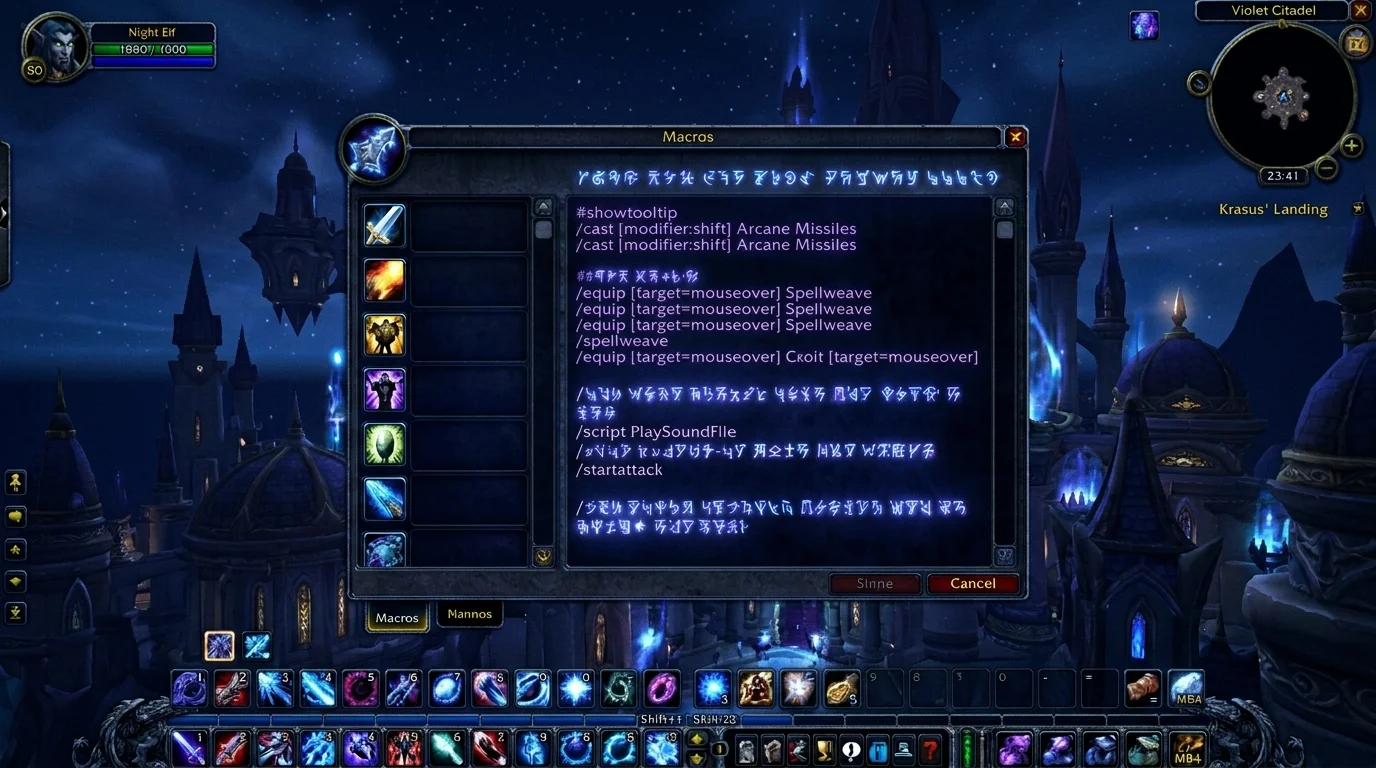
Why does macro make such a difference in WotLK?
Many people treat macros as tryhard player frills, but in WotLK it solves a very simple problem: reduce friction between decision and execution. You still need to know what to do — the macro only reduces the number of clicks, target changes and silly mistakes in the middle of the fight.
Macro does not replace game reading, rotation or positioning. But it helps you react faster, clean up the interface, and use important skills more consistently.
What a macro actually does
Before you start copying a ready-made block from the internet, understand the function of the macro:
- combine compatible actions in one button
- prioritize target, focus or mouseover
- remove useless steps from execution
- Facilitate quick response in PvE and PvP
What it doesn't do in 3.3.5a:
- play the spin alone
- decide the best spell for you
- break GCD limits
- transform difficult class into automatic class
Most useful universal macros in everyday life
1. Mouseover for utility and cure
What it's for: use spell on whoever your mouse is over without losing main target.
#showtooltip
/cast [@mouseover,help,nodead][] Flash Heal
This is excellent for healing, dispel, buff, and quick support. You keep the boss as a target and still react in the group without changing targets.
2. Focus for control or interruption
What it's for: control an important target without losing the main target.
#showtooltip Counterspell
/cast [@focus,exists,nodead][] Counterspell
In PvP this is mandatory sooner or later. In dungeons and raids it also helps a lot with priority mobs.
3. Startattack to avoid crashing opener
What it's for: ensure that your auto attack starts with the skill.
#showtooltip Sinister Strike
/startattack
/cast Sinister Strike
Very useful for melee, especially quick target switching.
4. Trinket + cooldown
What it's for: align burst with less chance of forgetting part of the setup.
#showtooltip Icy Veins
/use 13
/use 14
/cast Icy Veins
Not every trinket works well in macro together, so always test. The logic is good for clear burst windows.
5. Cancel situational aura
What it's for: cancel the effect that's bothering you at the right time.
/cancelaura Hand of Protection
This one seems too simple, but it saves trying when you need to hit again soon.
Macros per role for PvE and PvP
Tank
What helps the most:
- taunt in focus
- mouseover to utility
- startattack on main skills
Example:
#showtooltip Taunt
/cast [@mouseover,harm,nodead][@focus,harm,nodead][] Taunt
Tank suffers when wasting time manually switching targets. Macro here reduces chaos.
Healer
What helps the most:
- mouseover heal
- mouseover dispel
- focus for critical support
- emergency stopcasting
Example:
#showtooltip Nature's Swiftness
/stopcasting
/cast Nature's Swiftness
/cast Healing Wave
Healer wins a lot with macro because any second saved becomes survival.
Melee DPS
What helps the most:
- startattack
- kick in focus
- arena target/focus in PvP
Melee makes a lot of mistakes when it needs to interrupt quickly and still reposition. Macro helps with this.
ranged/caster DPS
What helps the most:
- stopcasting for interrupt or CC
- focus for control
- burst aligned with cooldown
Example:
#showtooltip Counterspell
/stopcasting
/cast [@focus,exists,nodead][] Counterspell
Caster that takes too long to react loses a lot of value.
When macro helps and when it hinders
Helps when:
- reduces target switching
- simplifies recurring utility
- organizes important cooldown
- speeds up response without automating too much
It gets in the way when:
- add too many spells to one button
- becomes a crutch for lack of understanding
- creates rigid sequence in dynamic fight
- hides priority error
Good macro makes your execution cleaner. Bad macro traps you in wrong logic.
Common errors when copying ready macro
1. Copying without understanding what each line does
This is mistake number one. The player takes a “pro” macro and doesn’t even know if it was made for PvP, PvE, focus, mouseover or arena.
2. Use castsequence on everything
Castsequence looks magical, but it tends to break when the fight goes off script. If the combat changes, the macro locks in your decision.
3. Ignore exact spell name on the client
In 3.3.5a, especially in PT-BR or private clients, the skill name must match what the client accepts.
4. Make macro to hide keybind problem
If your bar is poorly organized, no macro solves the root of the problem.
5. Never test on light content before
New macro must be validated in training, open world or easy dungeon — not in a serious raid.
Macro starter kit to get started without exaggeration
For most players, this is the best starting point:
- a mouseover macro
- a focus macro
- a macro with /startattack
- a /stopcasting macro for critical spell
- a main cooldown macro with trinket if that makes sense
With this, you already gain a lot of execution without turning your interface into a mess.
What to avoid at the beginning
- create 20 macros at once
- use castsequence as a universal solution
- copy macro without adapting to your spec
- fail to bind important skill “because it is in the macro”
- think that macro replaces training
Minimum recommendation
If you want to get started on WotLK:
- first create mouseover, focus and startattack
- test one macro at a time
- use macros to speed up decisions, not to hide errors
- Keep it simple enough to remember in the heat of the fight
Posts Recomendados
Keybinding: how to configure your shortcuts to play better
Good rotation on paper isn't much use if your shortcuts slow you down. A well-mounted keybind improves reaction, comfort and consistency in WotLK.
How to create macros in WotLK the right way (without breaking your rotation)
Creating WotLK macros the right way simplifies execution; bad macros mess up targets, lock priorities and break your rotation. Learn the logic first.
How to set up your UI to play better without cluttering the screen
A good WotLK UI isn't about cramming the screen, it's deciding what deserves attention and where it should appear. See how to improve visual performance.
How to know if you are playing your class well without depending on an addon
Addon helps a lot, but does not replace reading the game. You can tell if you're playing well by observing simple signs of execution, survival, and consistency.