
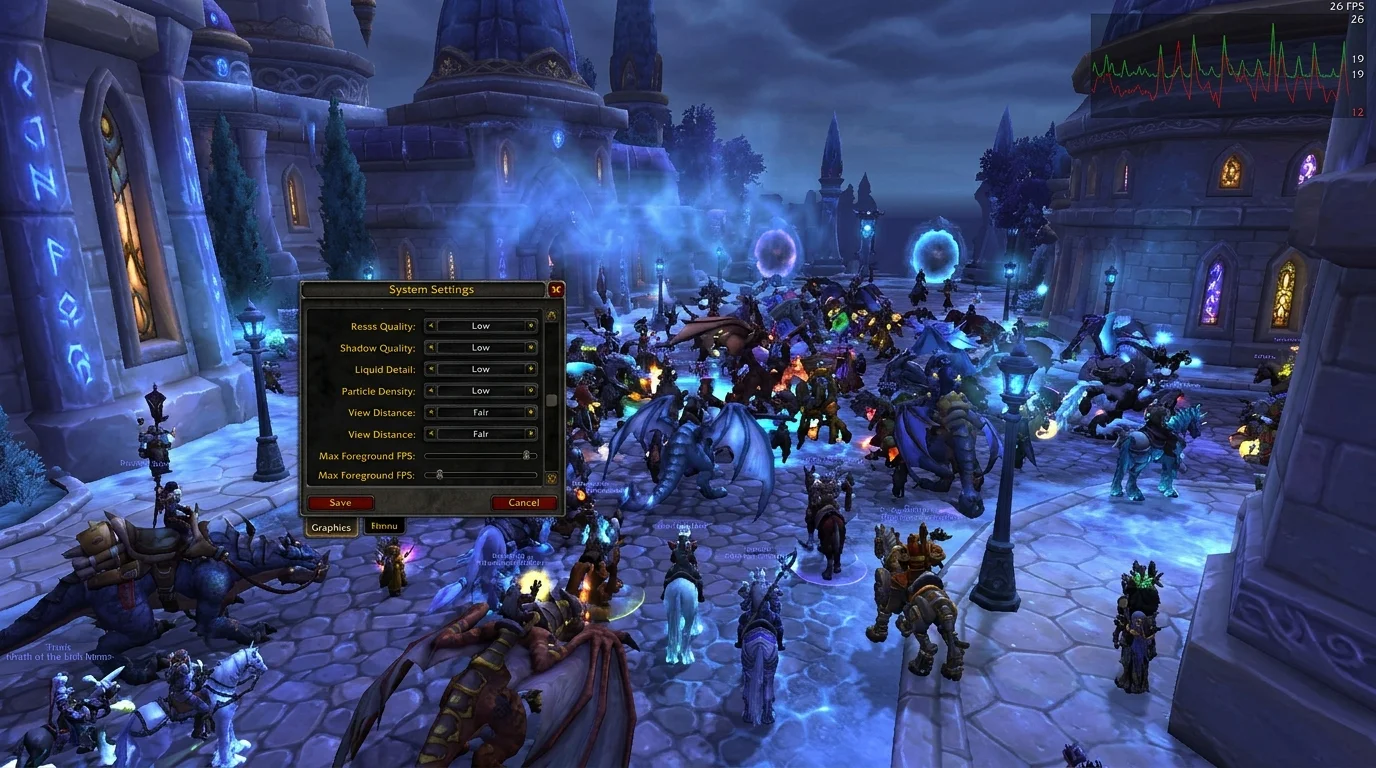
Why Dalaran drops so much FPS
Dalaran concentrates players, mounts, particles, spell effects and active UI at the same time. It's the perfect scenario to expose a customer bottleneck.
If the game is acceptable in the open world, but stutters in Dalaran, the problem is almost always a combination of:
- visual effect above what is necessary
- real-time heavy addons
- viewing distance too high
- filterless interface setup
Adjustment priority (order that solves the most)
1) Reduce shadows
Shadows are often the most impactful adjustment per cost.
2) Adjust distance and terrain detail
In a crowded city, keeping everything at maximum costs a lot and delivers little practical gain.
3) Review spell effects
When several skills are displayed at the same time, this point becomes a bottleneck.
4) Disable addon modules that you don't always use
Real-time meters, overlays, and heavy skins can drop FPS without you noticing.
How to test improvement reliably
- Stand still for 2 minutes in a busy area of Dalaran
- drive around the city with normal UI
- open bag, map and character panel
- Note the feeling of fluidity before and after each adjustment
Change one variable at a time. That way you know what really helped.
Common mistakes when optimizing Dalaran
1) Change ten settings at once
Without change control, you don't learn what worked.
2) Seek high FPS with unreadable UI
Losing critical information does not compensate for gaining numbers.
3) Ignore addon
Many cases of "heavy graphics" are actually conflict or addon overload.
4) Test only in an empty area
If the problem is Dalaran, testing needs to be in Dalaran.
Recommended initial preset for stability
For most players with intermediate/weak PCs:
- shadows: low
- distance: medium
- particles: medium
- addons: essential only
- no heavy visual skins
Then, gradually increase quality while maintaining fluidity.
Final checklist
- Is Dalaran stable during peak hours?
- UI remains clear to react quickly?
- heavy addons have been reduced?
- stutter when opening panels decreased?
- can you keep up the game without getting stuck?
If so, your setup is ready for crowded cities without suffering.
Posts Recomendados
How to make the game lighter on a weak PC in WotLK (without destroying your UI)
Drops in FPS, crashes and delayed input ruin the WotLK experience. Adjust the essentials to gain real performance without making the game ugly or confusing.
The most common graphics configuration errors in 3.3.5a
Many graphics settings in 3.3.5a seem harmless, but they drop FPS and cause stutter in raids. See the common mistakes and a balanced preset to play smooth.
How to save and restore your interface without a headache in WotLK
Saving and restoring your interface spares you hours of lost addon setup after an update or new PC. See which files to keep and how to restore safely.
The most common graphics configuration errors in WotLK 3.3.5a
Lag and stutter in WotLK almost always come from poorly tuned graphics settings, not a weak PC. See the most common mistakes and how to fix each one.