
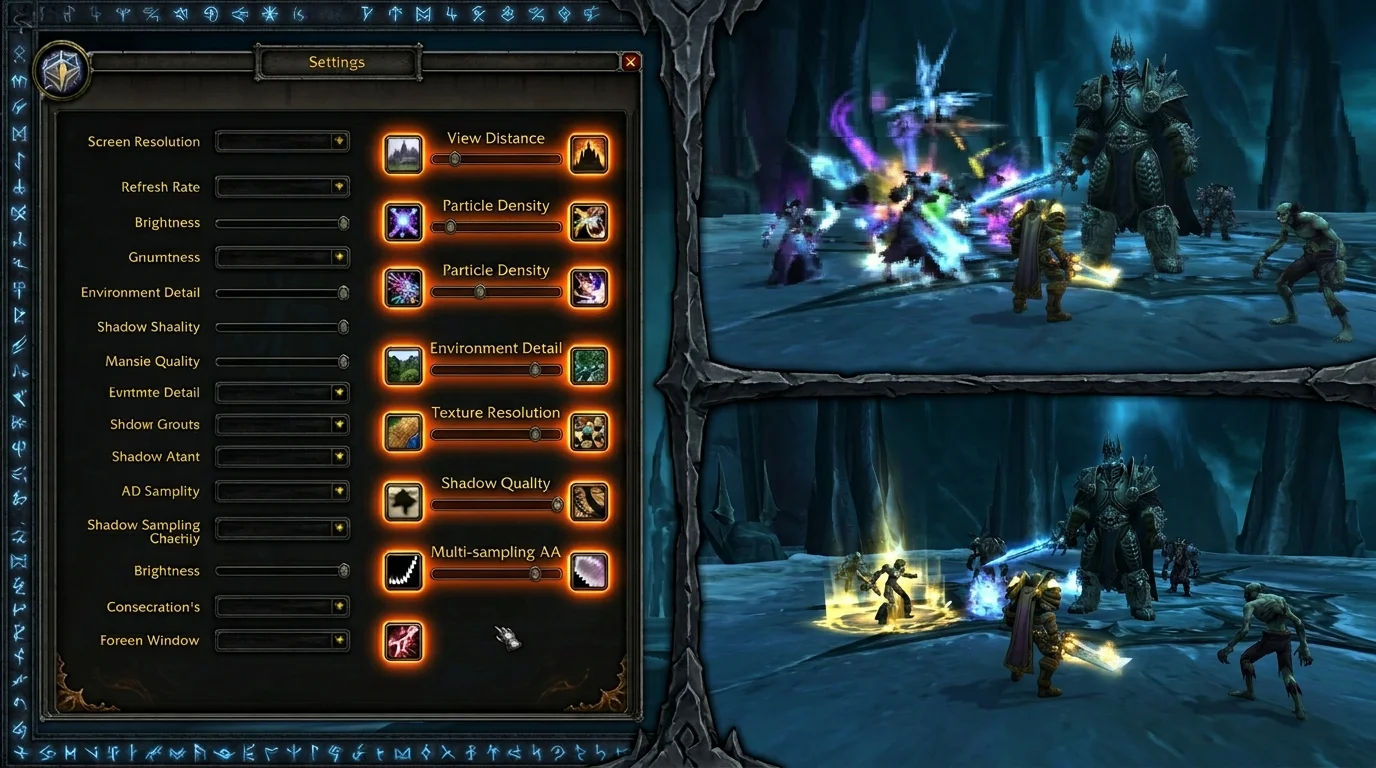
Wrong graphics configuration seems like a hardware problem
Most people who complain about lag, stutter or low FPS in WotLK 3.3.5a don't have a hardware problem — they have a configuration problem. The 2010 client was designed for very different machines than today's, and some seemingly harmless options have a disproportionately high impact on performance.
The result is a game crashing on a PC that should run easily, or a player playing at a much lower quality than the hardware supports for fear of adjusting the options.
Adjustments that cause the most loss of performance
1. Maximum View Distance
This is the most common mistake. Draw distance in WotLK is not limited by rendering power — it forces the client to load map chunks far beyond what you will interact with. In open zones of Northrend, this multiplies the CPU and memory load.
Impact: significant drop in FPS in open zones, stuttering when entering a new area
Recommended configuration:
- PvE/dungeon: can keep high without problem
- Open zone / Wintergrasp: reduce to 50-70% — you won't notice it visually
2. Shadow Projection (Shadow Quality)
Shadows in the 3.3.5a client render expensively on CPU, not GPU. This means that increasing shadow quality impacts the processor — and on modern CPUs with many cores, this cost can be poorly distributed.
Impact: constant stutter, especially in dungeons and raids with many simultaneous effects
Recommended setting: Low or Medium. The visual difference is small; the fluidity gain is great.
3. Multisampling (MSAA) at 8x
Anti-aliasing in WotLK works via MSAA, which multiplies the GPU's work by 4x or 8x to smooth edges. At high resolutions (1080p+), the visual benefit of MSAA is imperceptible — the edges are already small enough.
Impact: FPS drop in raids and areas with lots of particle effects
Recommended setting: 2x or disabled. For smooth edges at high resolution, only enable if you have dedicated GPU with sufficient VRAM.
4. Ground Density (Ground Clutter / Environment Detail)
Ground Clutter controls the amount of grass, flowers, and ground detail rendered. It looks harmless visually, but it is one of the biggest consumers of draw calls in the old client.
Impact: Low FPS in zones with detailed terrain (Storm Peaks, Icecrown, Grizzly Hills)
Recommended setting: 50% or less. Visual reduction is minimal when moving.
5. Water and reflection animation (Liquid Detail / Water Reflection)
Reflections in water require duplicate scene rendering. In client 3.3.5a, this is a fixed cost whenever any water surface is visible.
Impact: FPS drop near rivers, lakes, coast or any area with water
Recommended configuration: disable reflection of land in water. Keep the surface effect if you want reasonable appearance.
Problematic option combinations
Certain combinations of settings that seem reasonable individually have a severe impact together:
Combination 1: View Distance high + Shadow Quality high
The combination forces the client to calculate shadows cast on distant geometry that you will never see. It's pure CPU work with no visual feedback.
Solution: if you keep View Distance high, reduce Shadow to Low.
Combination 2: MSAA 4x+ + 1440p resolution or higher
At high resolution, MSAA costs a lot and delivers little. The edges are already so small that anti-aliasing is visually imperceptible.
Solution: at 1440p+, disable MSAA completely. Use native resolution without AA.
Combination 3: High Ground Clutter + High Particle Density in raid
In raids with many simultaneous spell effects, the sum of skill particles with grass ground clutter and ground details can slow down even reasonable hardware.
Solution: in raid, reduce Ground Clutter and Particle Density by half.
How to balance quality and fluidity
Starting point: profile by situation
WotLK does not require a one-size-fits-all configuration. You can (and should) adjust by context:
Configuration for open zone/farm:
- View Distance: 70%
- Shadow Quality: Medium
- Ground Clutter: 50%
- MSAA: 2x or off
- Water: no reflection
Dungeon setup:
- View Distance: can keep high (closed area)
- Shadow Quality: Low
- Ground Clutter: 25-50%
- MSAA: 2x
- Particle Density: Medium
Raid setup (25 players):
- View Distance: Medium
- Shadow Quality: Low or Off
- Ground Clutter: 25%
- MSAA: Off
- Particle Density: Low
How to identify the bottleneck
Open the game's FPS meter (Ctrl+R) and observe:
- FPS drops in open zone but not in dungeon → View Distance or Ground Clutter very high
- FPS drops specifically in raid → Shadow Quality, Particle Density or Multisampling
- Constant stutter independent of the scene → probably a single heavy addon or memory problem (see diagnostic errors section)
Visual diagnostic errors
"My FPS is ok but the game crashes"
Stutter with high FPS is not a graphics problem — it is a CPU or addon problem. The 3.3.5a client is single-threaded: all game logic, addons, and interface processing runs on the same core. Heavy addon or multiple poorly optimized addons crash this single core regardless of FPS.
How to diagnose: disable all addons and test. If the stutter disappears, re-enable them one by one.
"The game became pixelated after I changed the settings"
Window resolution different from the monitor resolution generates pixel stretching. Verify that the resolution on the game's video system matches the native resolution of your monitor.
"I turned on vsync and the game got worse"
VSync on the old client may introduce noticeable input lag and reduce FPS to multiples of the monitor's refresh rate. For gaming, prefer frame limit via external software (RTSS) instead of native VSync.
"I set everything to maximum and the game is fine now, I don't need to change it"
If it's good now, but you haven't gone into a 25-man raid with everyone using abilities at the same time, reserve judgment. Configuration that works in dungeons may crash in heavy raids.
Stable configuration checklist
Use when configuring for the first time or after installing on a new machine:
Resolution and display:
- [ ] Game resolution equal to native monitor resolution
- [ ] Windowed or full screen mode correctly configured
- [ ] VSync disabled (use external frame limit if necessary)
Main charts:
- [ ] View Distance: 60-70% for open area, can climb in dungeon
- [ ] Shadow Quality: Low (only go up if FPS is off)
- [ ] Ground Clutter: 50% or less
- [ ] MSAA: 2x maximum (off if resolution is 1440p+)
- [ ] Liquid Detail: no earth reflection
For raid:
- [ ] Shadow Quality: Low or Off
- [ ] Particle Density: Low or Medium
- [ ] Ground Clutter: 25%
Verification:
- [ ] Ctrl+R active to monitor FPS during the first few days
- [ ] Test in open zone (Icecrown, Storm Peaks) for real stress
- [ ] Test in a raid of 25 before considering it stable
Minimum recommendation
To have stable performance in WotLK 3.3.5a without sacrificing visuals unnecessarily:
- Start with everything on Medium and adjust up — not down
- Shadow Quality is the first to reduce if there is stutter
- Ground Clutter and View Distance are the most impactful in the open zone
- in raid, prefer fluidity over visual quality — 200ms lag in boss pull has a real cost
- if you have stutter with high FPS, the problem is the addon, not the graphics
Posts Recomendados
Common errors when installing WotLK and how to resolve them
Common WotLK installation errors: can't connect, client closing by itself or an error message? See the most common 3.3.5a client issues and their fixes.
Server status and maintenance: where to track uptime, schedules, and incidents
Server status and maintenance: knowing where to look when something goes down saves time. See how to track status, maintenance and official notices.
How to save and restore your interface without a headache in WotLK
Saving and restoring your interface spares you hours of lost addon setup after an update or new PC. See which files to keep and how to restore safely.
High latency in WotLK: complete checklist to reduce lag
High ping and intermittent lag ruin dungeons, raids and arenas. Use this checklist to separate network, client and route issues and cut latency.