
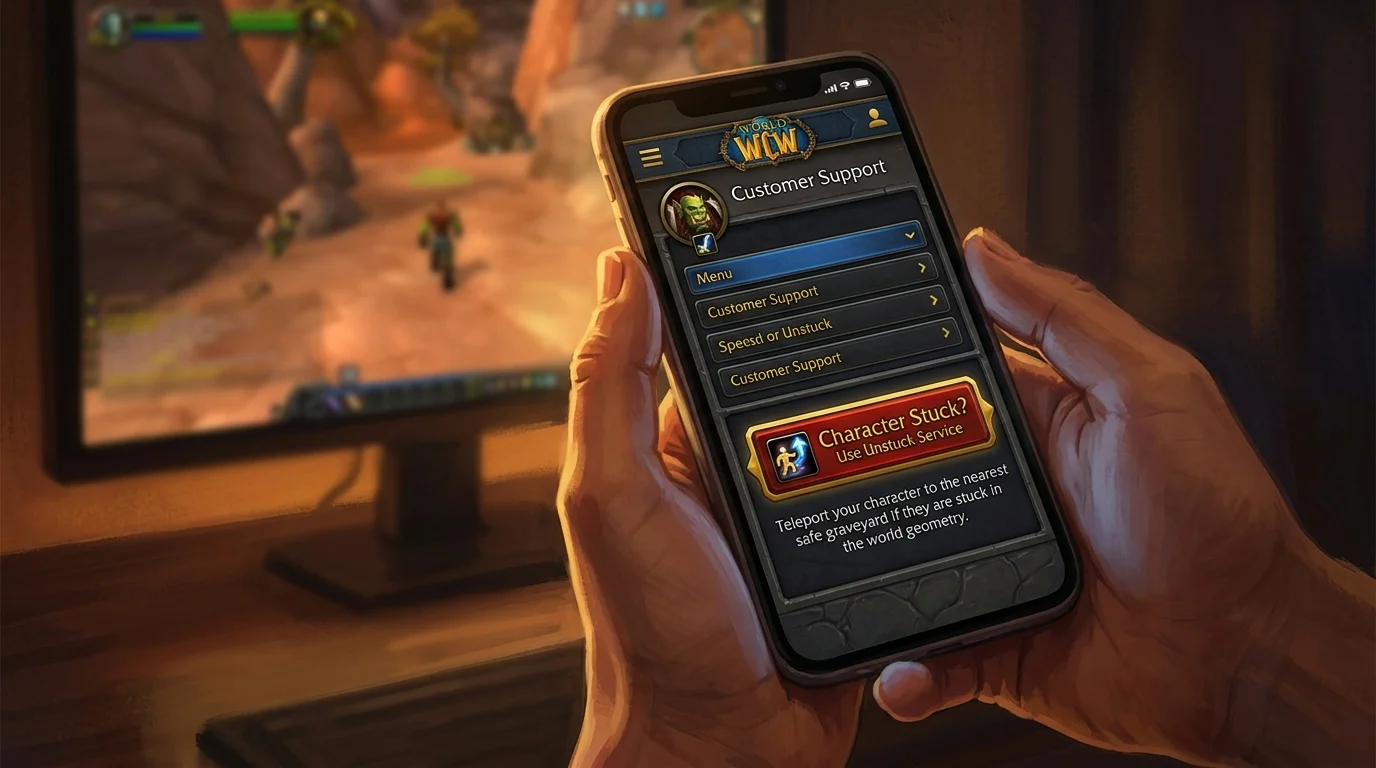
Unstuck button on mobile: how to free your character without an in-game ticket
What is Unstuck and how does it work
Unstuck is an Azeroth Legacy Dashboard feature that repositions your character to a safe spot in the zone they were in when they got stuck. You access the site — including on your mobile — without having to have the game open, without opening a ticket and without relying on an online GM.
The mechanism works simply: you trigger the service through the panel, the system checks the character's current position and teleports him to the nearest rez point or zone entrance. The character needs to be offline or in a closeable session for the repositioning to work without conflict.
Beta: Unstuck is available for free to all players. After launch, confirm if the service remains free or becomes exclusive to VIP players.
When the character gets stuck
The most common cases of character stuck in WotLK:
Terrain geometry
Falls in terrain holes, jagged slopes in old zones, narrow passages in dungeons — the character enters but cannot get out the same way. The game detects collision as solid but the exit is blocked.
Zone inaccessible after teleport or mount
Sometimes a move or teleport effect places the character inside an object or outside the limits of the playable zone. The result is infinite drop or reappearing at the same point when trying to move.
Crash during instance
If the client fell during dungeon or raid and when reconnecting the server still has the character inside the instance while the party left, the character may be in a state of limbo — inside a closed instance with no group.
Abyss or infinite fall
Falling under the map is rare, but it happens. The game normally kills and resets in the cemetery, but in specific cases the loop persists.
Mobile usage step-by-step
1. Access the Dashboard from your mobile browser
Open the Azeroth Legacy website on mobile and log in to your account. The Dashboard is responsive — it works normally on a smartphone screen without the need for a specific app.
2. Go to the services or character management section
From the dashboard menu, look for the quick services option or the affected character's area. Unstuck appears as a direct button, with no complex form.
3. Select the trapped character
If you have more than one character in the account, select the correct one before triggering the service. Unstuck applied to the wrong character does not deal damage, but requires triggering again.
4. Confirm and wait
After confirming, the system processes the repositioning in a few seconds. You receive confirmation on the screen. If the character is online, exit the game before triggering to avoid conflict of position between client and server.
5. Relay and verify
Enter the game normally after confirmation. The character must appear at the safe point of the zone. If you are still in the same place, wait 1-2 minutes and try again — in some cases the server takes time to process the repositioning.
Situations where Unstuck solves better than ticket
| Status | Unstuck | Ticket | |---|---|---| | Character stuck in geometry | Resolve | Time consuming | | Fall off the map | Resolves most | Required if loop persists | | Crash during instance | Solve solo | May be required if in a group | | Teleport bug | Resolve | Needed if item is missing | | Stuck in Bugged Cemetery | Try First | If Not Resolved |
The rule is straightforward: if the problem is only one of position, Unstuck solves it in less than 2 minutes. If there is item loss, broken quest, or instance bug with group, open ticket later.
Limits and cases that still require ticket
Item loss during locking
If the character got stuck, died, and an item disappeared in the process, the Unstuck repositions the char but does not restore the item. Open ticket with time, item name and print if possible.
Quest that crashed because of the position
Character repositioned by the Unstuck may lose the state of an active quest that depended on the exact position. If this happens, check the quests log and open ticket if the progress is missing.
Instance corrupted with group
If the problem is not your position but the state of the instance itself — boss that does not appear, door that does not open, loot that did not generate — Unstuck does not solve it. Ticket with instance name, boss and time is the way.
Persistent Kill Loop
If the character dies, reappears at the same broken point, and dies again, the Unstuck may have no effect if the server still records that position as valid. In this case, please wait 5 minutes, try again, or open ticket.
Safe Recovery Checklist
Before using Unstuck
- [ ] Did you try to move the character in all directions?
- [ ] Have you tried using Hearthstone or teleport available in the class?
- [ ] Tried to quit the game and reconnect?
When using Unstuck
- [ ] Offline character or client closed before triggering?
- [ ] Correct character selected?
- [ ] Confirmation received on screen?
After Unstuck
- [ ] Character appeared in accessible zone?
- [ ] Inventory items present?
- [ ] Quest log without unexpected changes?
- [ ] If something was missing: open ticket with time and description of the affected item/quest?
Posts Recomendados
Modern Ticket Guide: Why on-site support is more efficient than in-game commands
A website ticket goes further than in-game commands: for real problems, it is faster and more traceable. See how to use modern support the right way.
Before opening a ticket: 10 tests that solve half of the problems
Before opening a ticket, do your triage: support moves faster that way. See the tests that most often solve the problem alone or improve the ticket.
How the support ticket system works — when and how to use it
Opening a support ticket the right way speeds up service. See when to contact support, what to send and how to write a ticket that actually gets handled.
The Azeroth Legacy Digital Wallet: How to Manage Balance and History in Dashboard
The Azeroth Legacy digital wallet gathers your balance, statement and transaction history in the Dashboard. See how to read it and control your resources.