
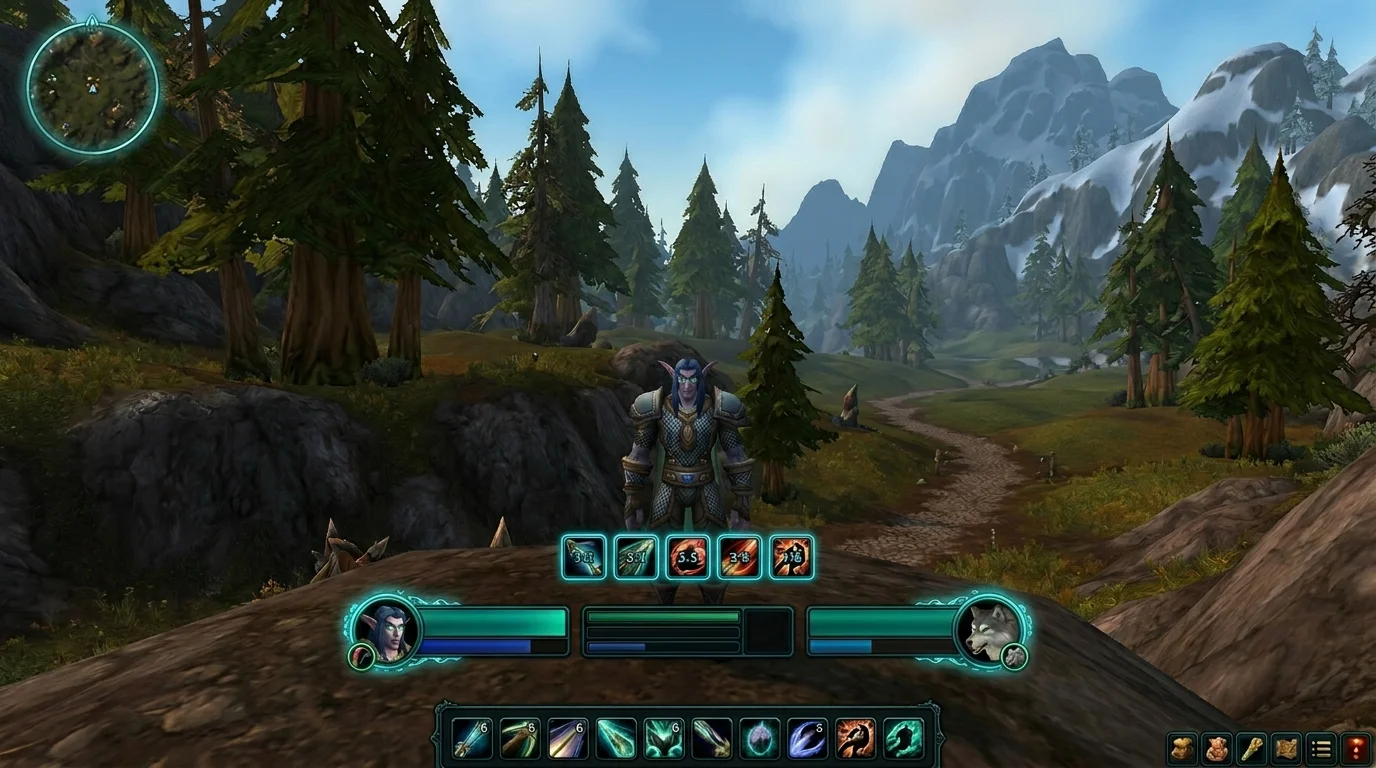
Lightweight UI for PvE and PvP in WotLK: minimal setup without losing information
The myth of the "too minimalist" UI
Many people try to gain FPS by removing everything and end up playing worse due to lack of information. The goal of a lightweight UI is to filter out noise, not blindside it.
You need to keep visible:
- class features
- critical cooldowns
- relevant debuffs/buffs
- target and focus information
UI framework that works in PvE and PvP
Center
-castbar
- major cooldowns
- process alerts
Left/right side
- unit frames (player, target, focus)
- group/raid information with clear priority
Base
- action bars organized by function
Avoid spreading important information to the extreme edges.
Addons and modules: the minimum necessary
Recommended base:
- boss mod (PvE)
- simple meter
- stable bar/frames
- relevant cooldown tracker
Avoid:
- addons with duplicate function
- purely aesthetic heavy skin
- multiple alert modules for the same thing
Single profile vs separate profile (PvE/PvP)
Single profile
Good for those who want simple maintenance.
Separate profile
Best for those who play competitively in both modes.
In PvP, focus and secondary targets deserve more emphasis. In PvE, boss timers and organizing raid frames are a priority.
Common mistakes when putting together lightweight UI
1) Take critical information out of the noise
Result: less FPS drop, but more execution error.
2) Copy streamer UI without adapting
Your screen size, habit and keybind are different.
3) Ignore visual consistency
Misaligned elements increase reading time in combat.
4) Never review after addon update
Changing modules can break the interface balance.
Quick process to assemble your setup
- start with clean and functional layout
- only add information that impacts the decision
- test in dungeon, raid and BG
- remove what you don't consult in combat
- Save final profile backup
Ultimate lightweight UI checklist
- is critical information in the central visual field?
- are there duplicate addons with the same function?
- Is your UI readable in intense fight?
- performance remained stable in PvE and PvP?
- profile was saved for quick restore?
If so, you have a UI that is lean, useful, and ready for serious content.
Posts Recomendados
Addons that hurt FPS the most in WotLK (and how to tweak them without losing utility)
Not every add-on weighs the same. See which types often take down FPS in WotLK and how to maintain UI utility without sacrificing combat performance.
How to save and restore your interface without a headache in WotLK
Saving and restoring your interface spares you hours of lost addon setup after an update or new PC. See which files to keep and how to restore safely.
Essential Macros Every WotLK Player Should Have
Essential macros don't play for you, but they cut errors, speed up reactions and clean up your interface. See the most useful ones for any WotLK player.
How to create macros in WotLK the right way (without breaking your rotation)
Creating WotLK macros the right way simplifies execution; bad macros mess up targets, lock priorities and break your rotation. Learn the logic first.